





Register for Greenlight Through the CNB Mobile Banking App
Getting started is easy and only takes a few minutes.
Before you begin, you’ll need:
- An active CNB checking account
- The CNB Mobile Banking app
- A mobile phone that can receive text messages
- Your child’s legal name and date of birth
- Your email address
- Your driver’s license, state-issued ID or U.S. passport for identity verification (if requested)
Don’t have a CNB checking account? Explore our checking account options to unlock complimentary access to Greenlight.
Step 1: Open Greenlight in the CNB Mobile Banking App
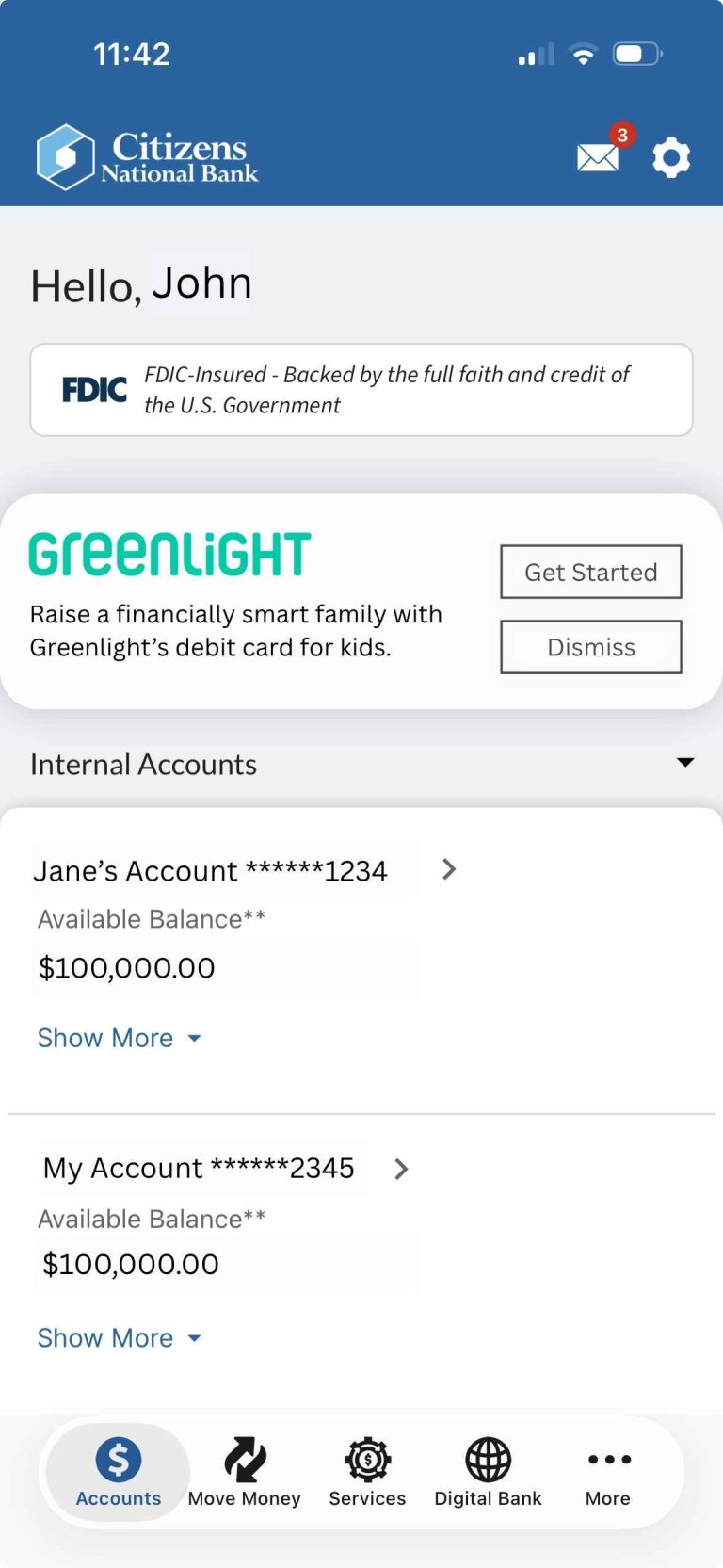
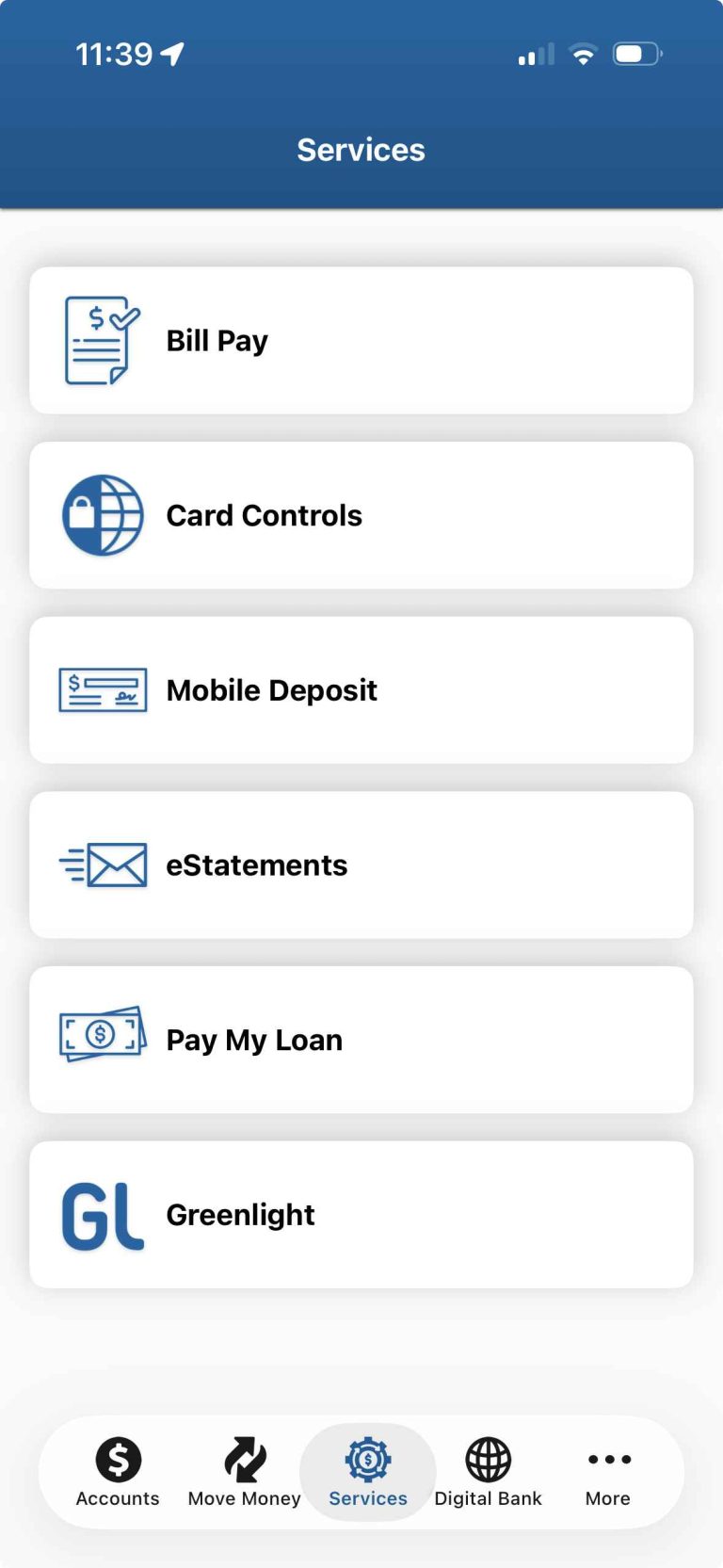
Log in to the CNB Mobile Banking app and tap the Greenlight link at the top of your main accounts tab. If you don’t see the Greenlight link, select the Services tab and then click the Greenlight option to begin registration.
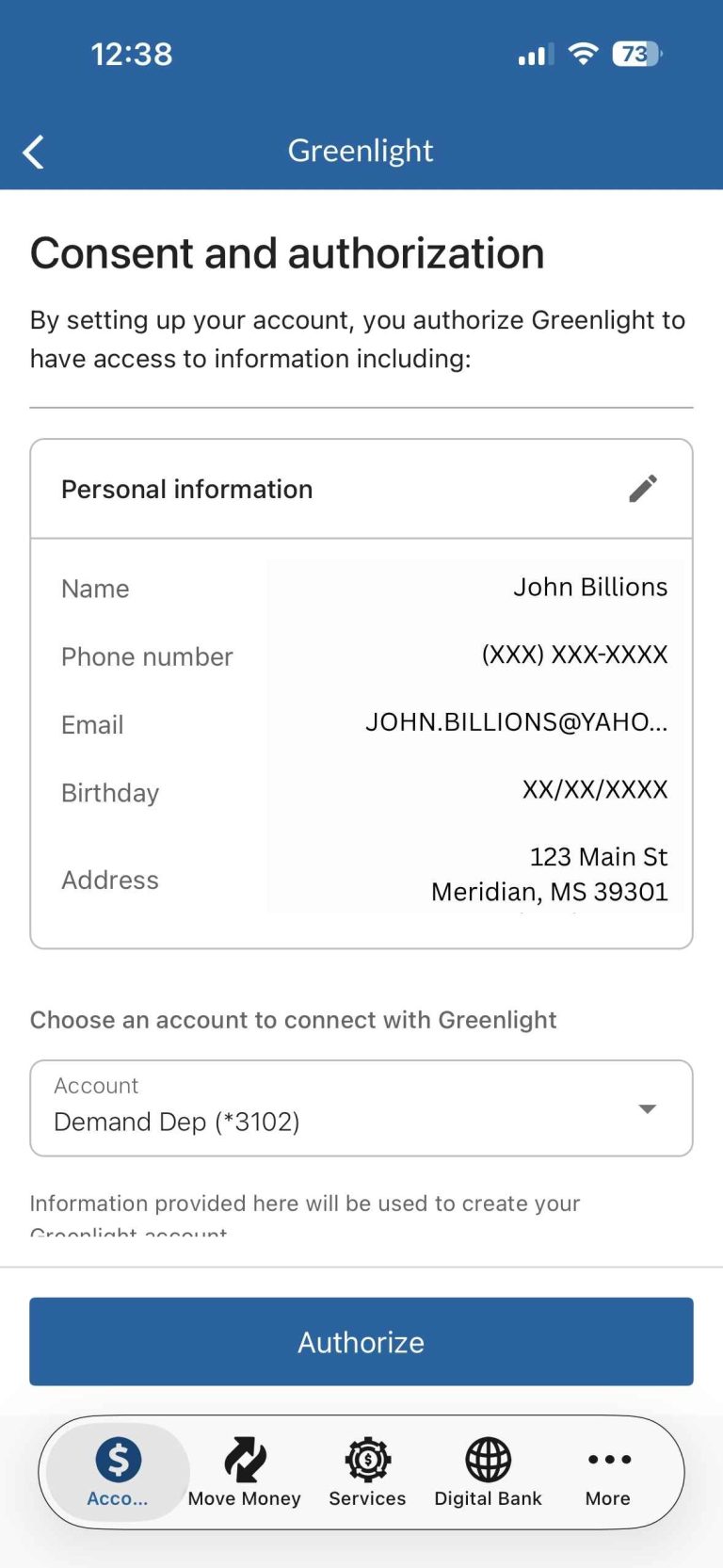
Step 2: Authorize Your Information
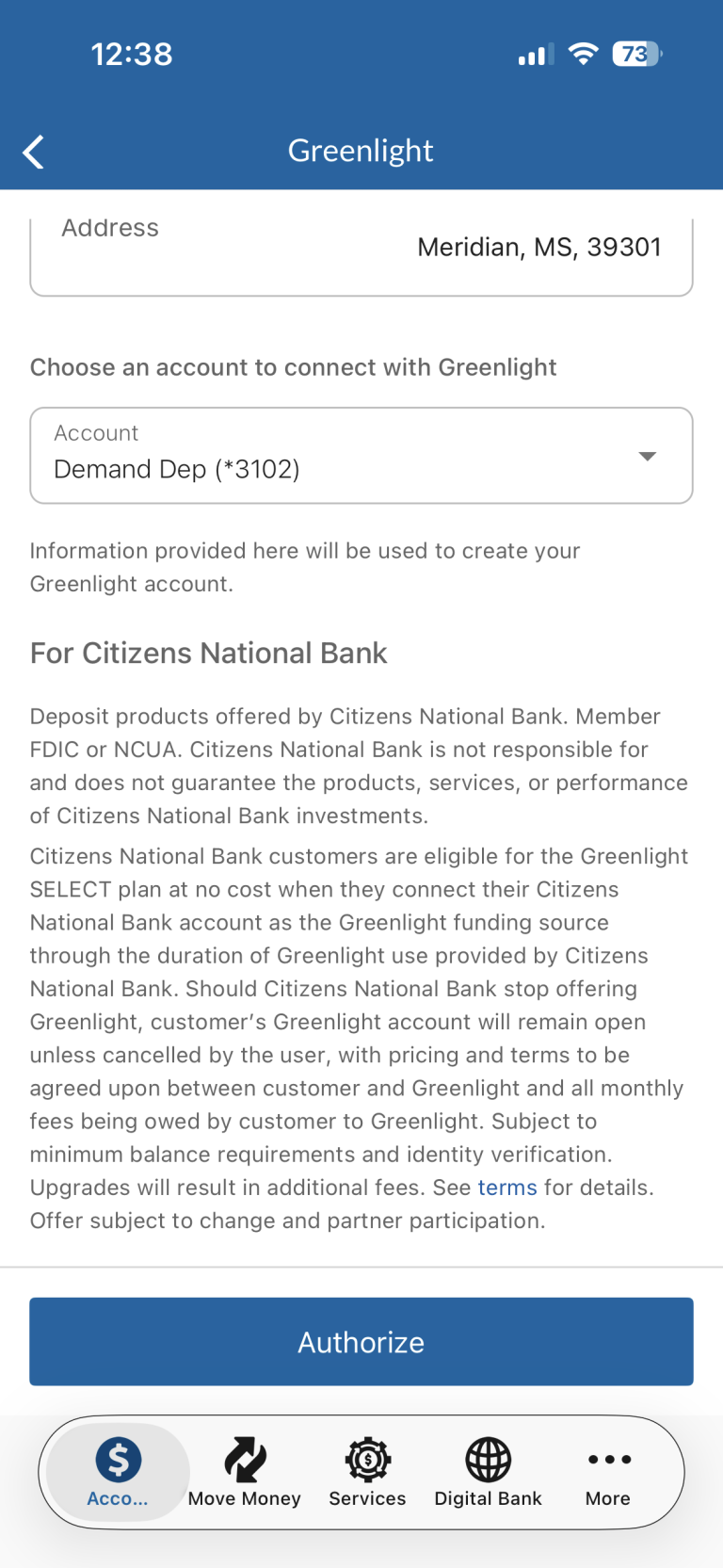
Review your information, select the checking account you’d like to connect to Greenlight for funding purposes and then authorize access.
We’ll securely use this information to help create your Greenlight account.
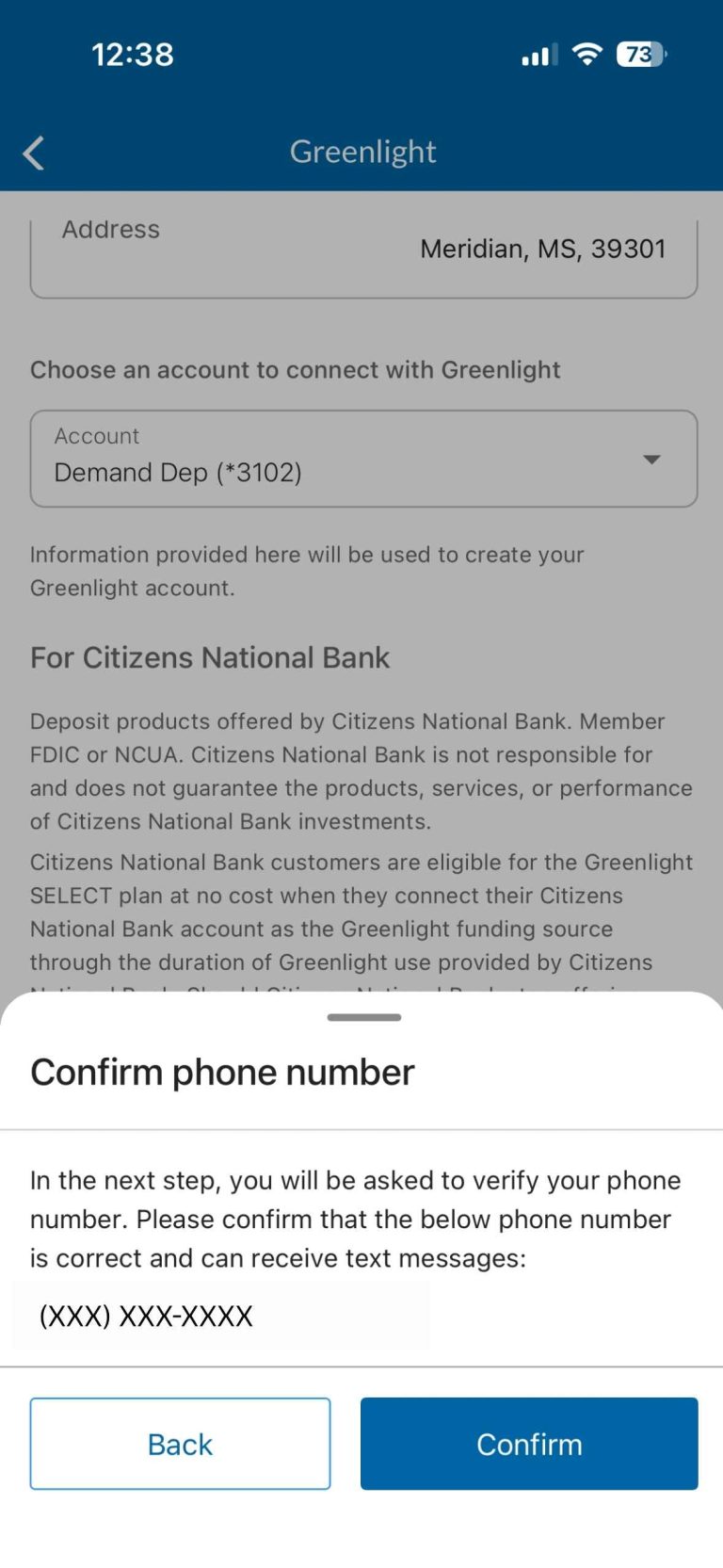
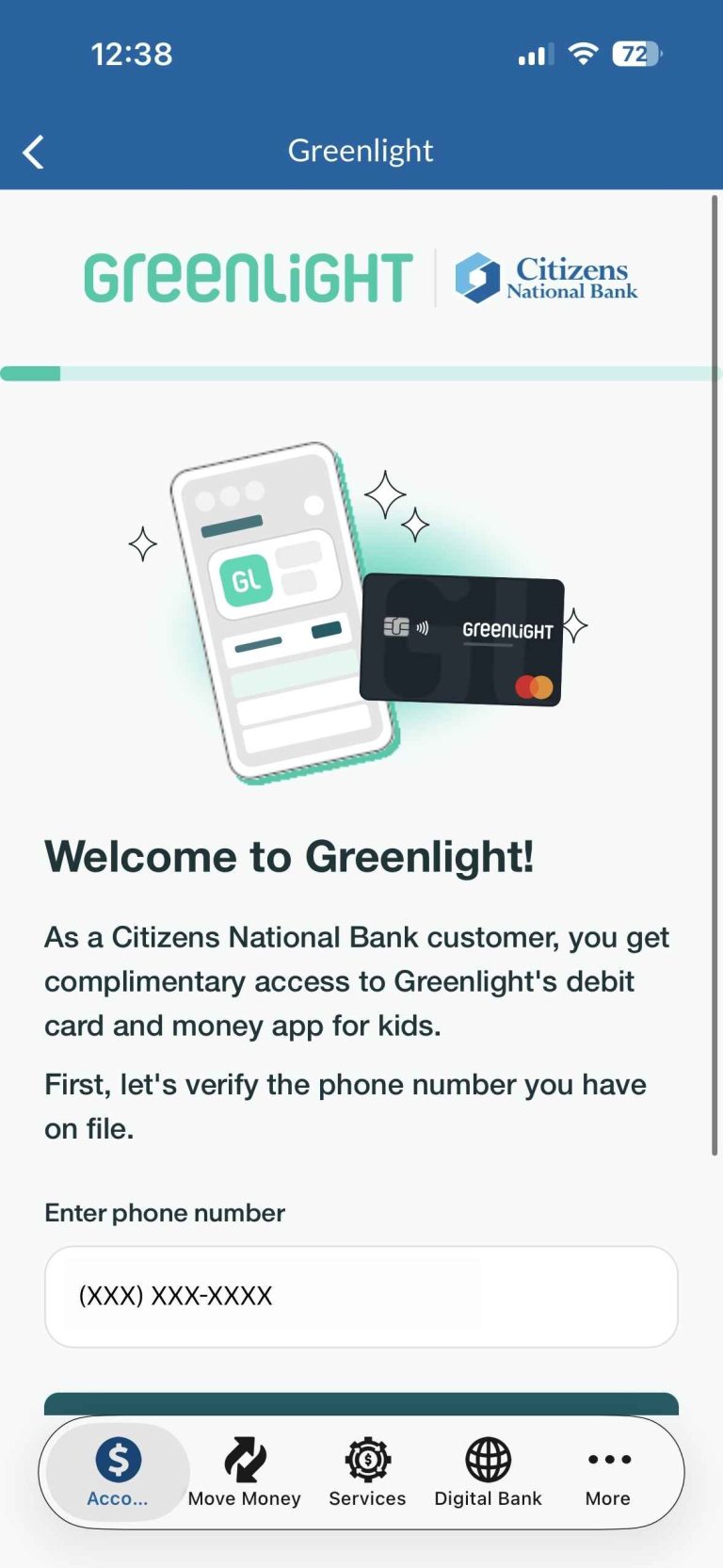
Step 3: Verify Your Phone Number
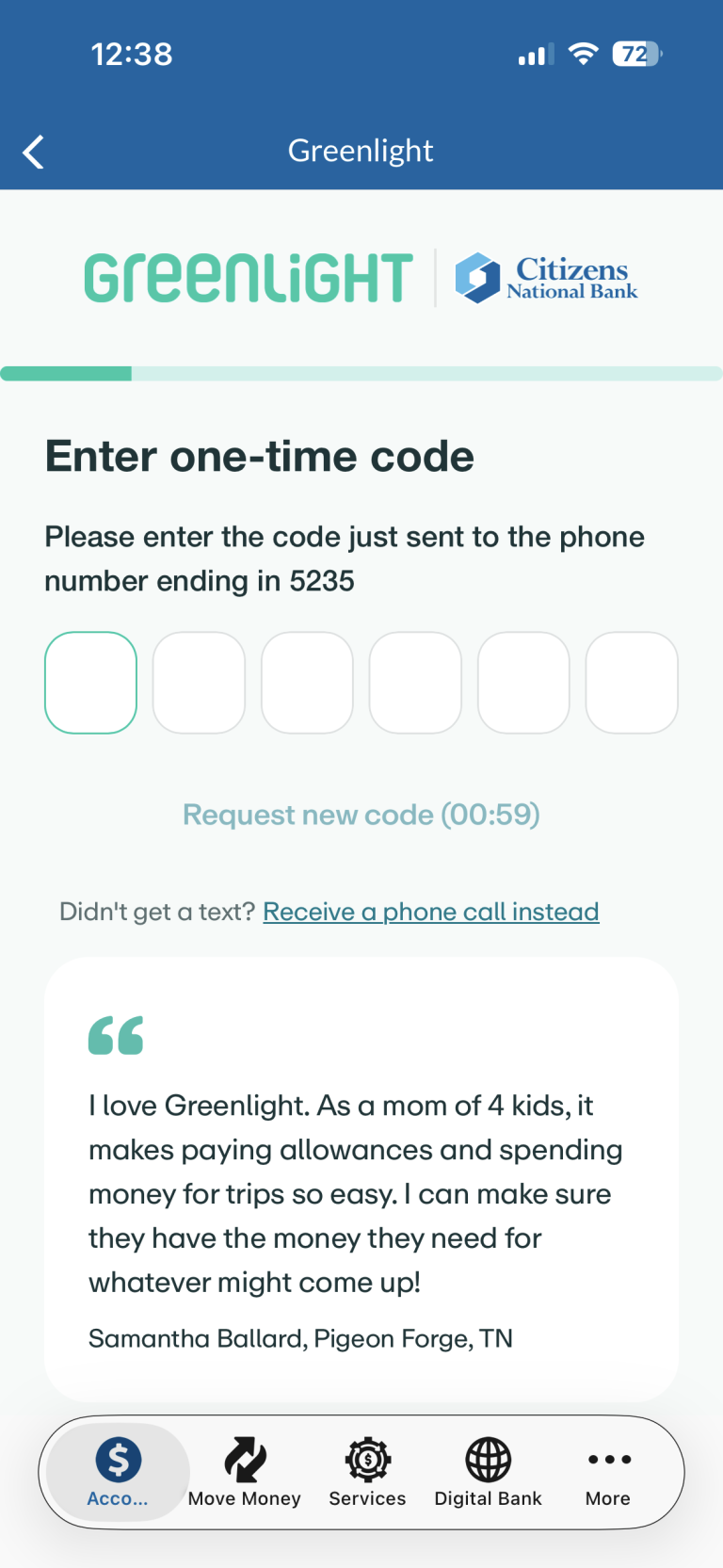
Confirm your phone number and enter the one-time verification code sent by text message.
This helps keep your account secure.
Step 4: Create Your Greenlight Login
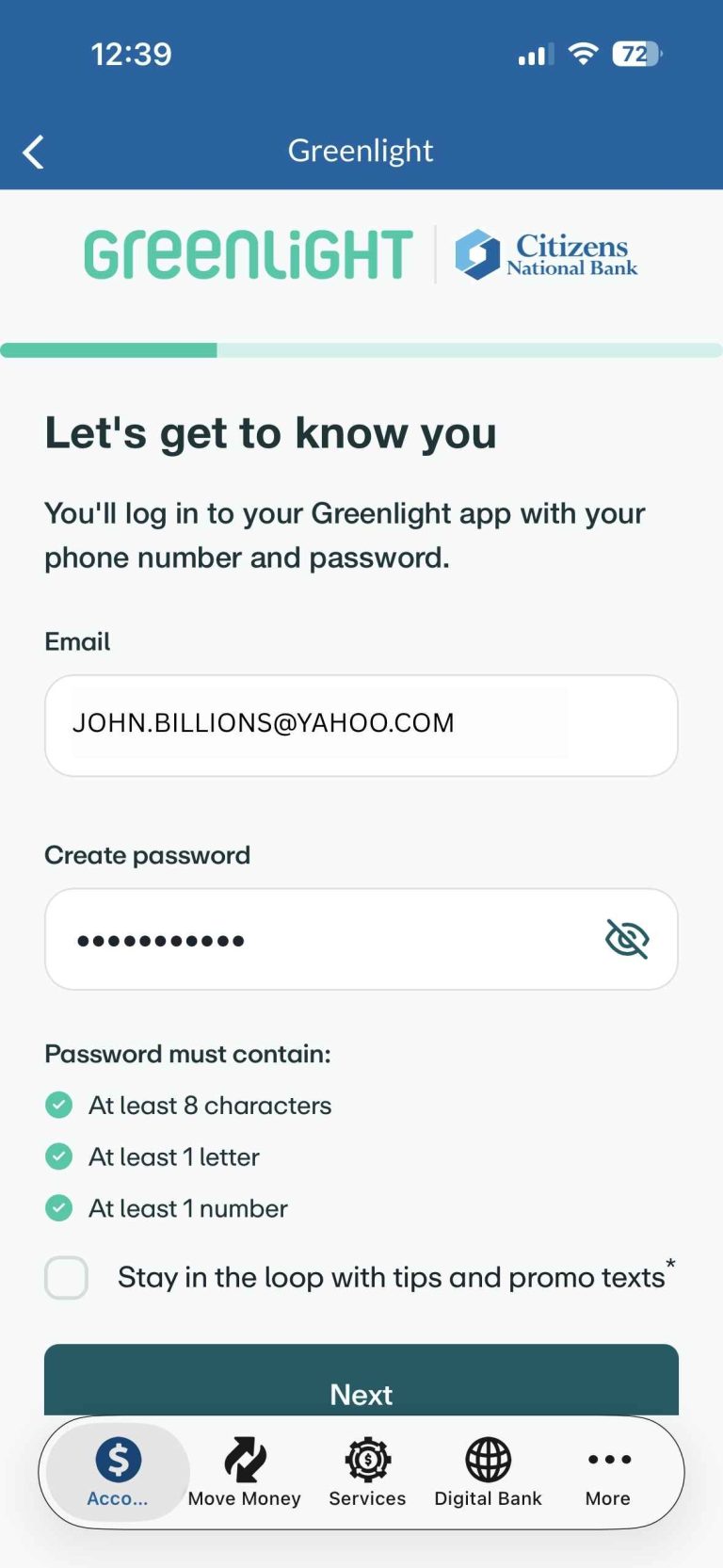
Enter your email address and create a password for your Greenlight account.
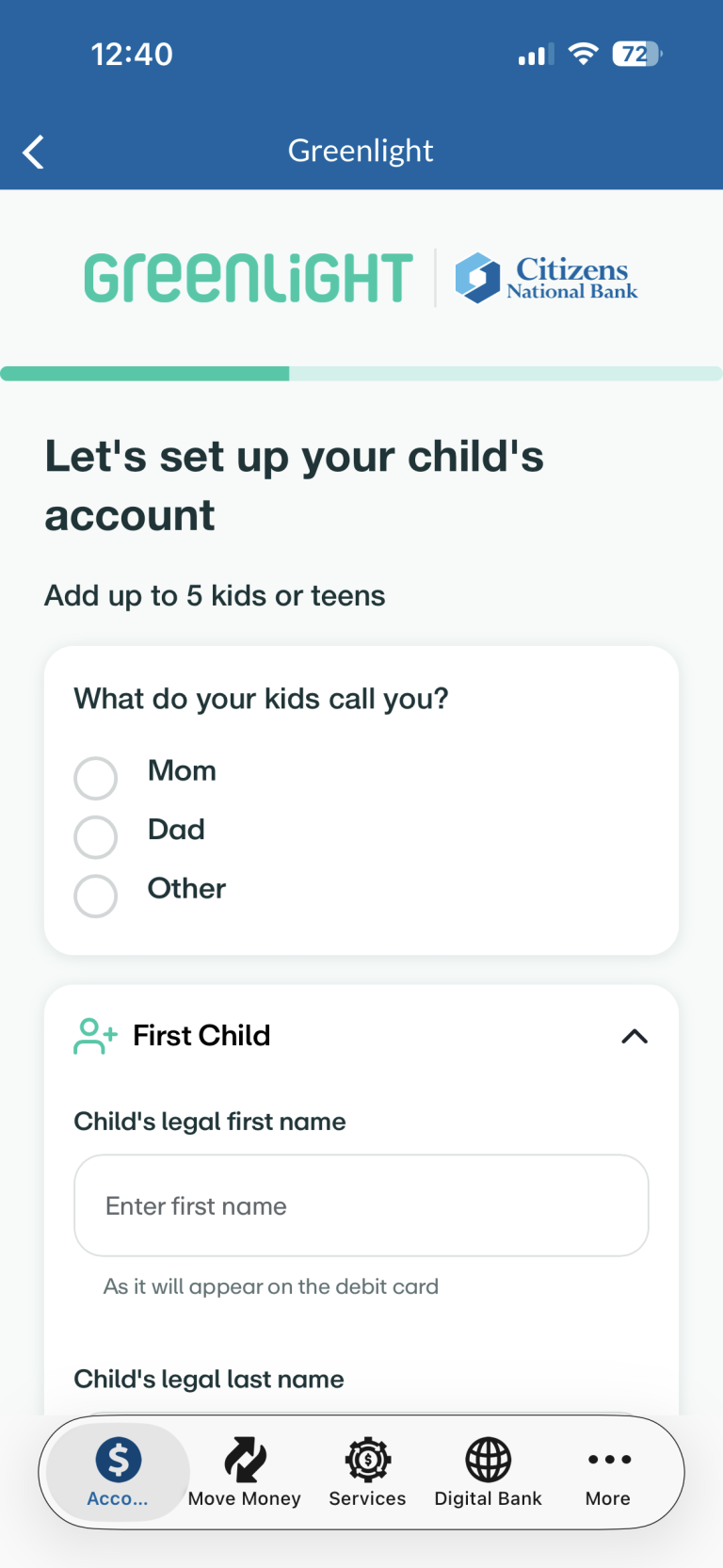
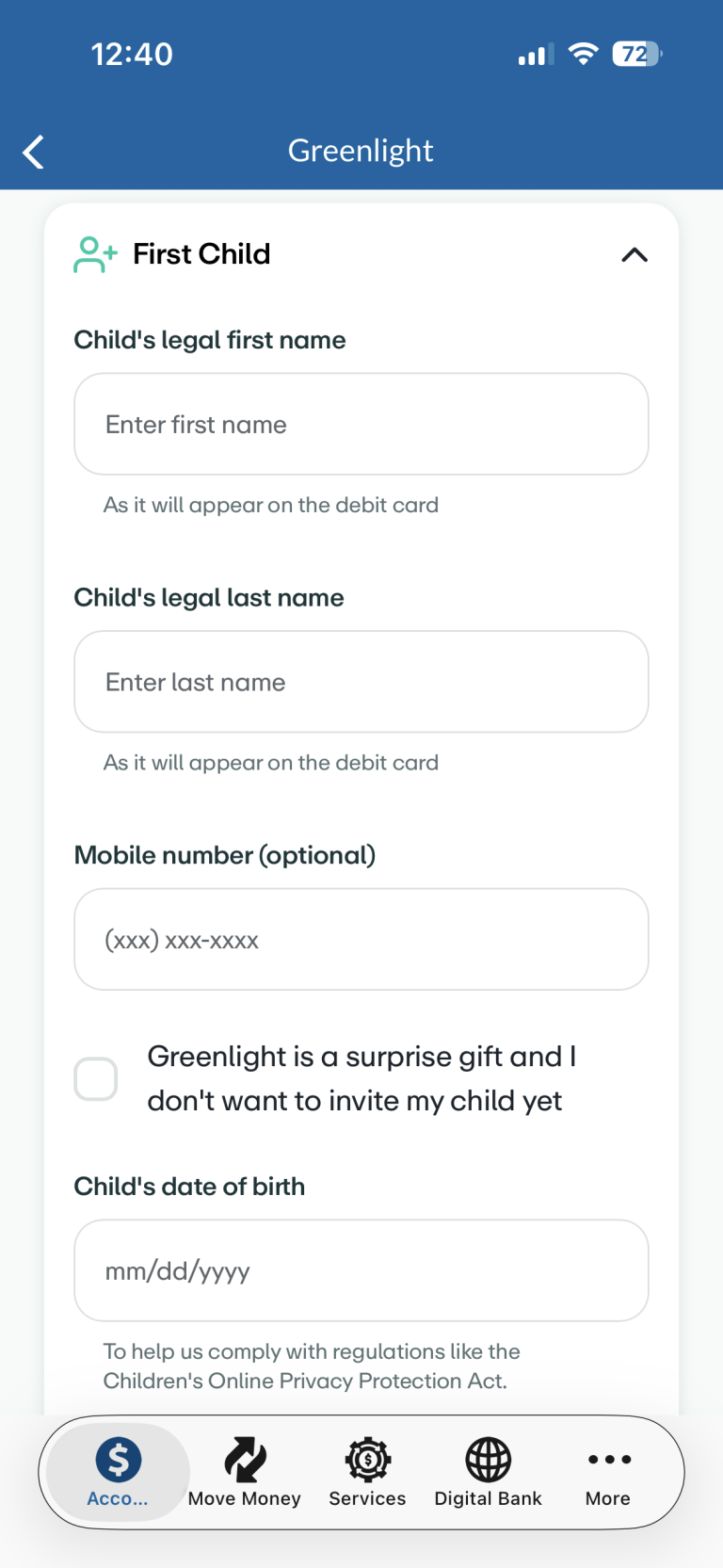
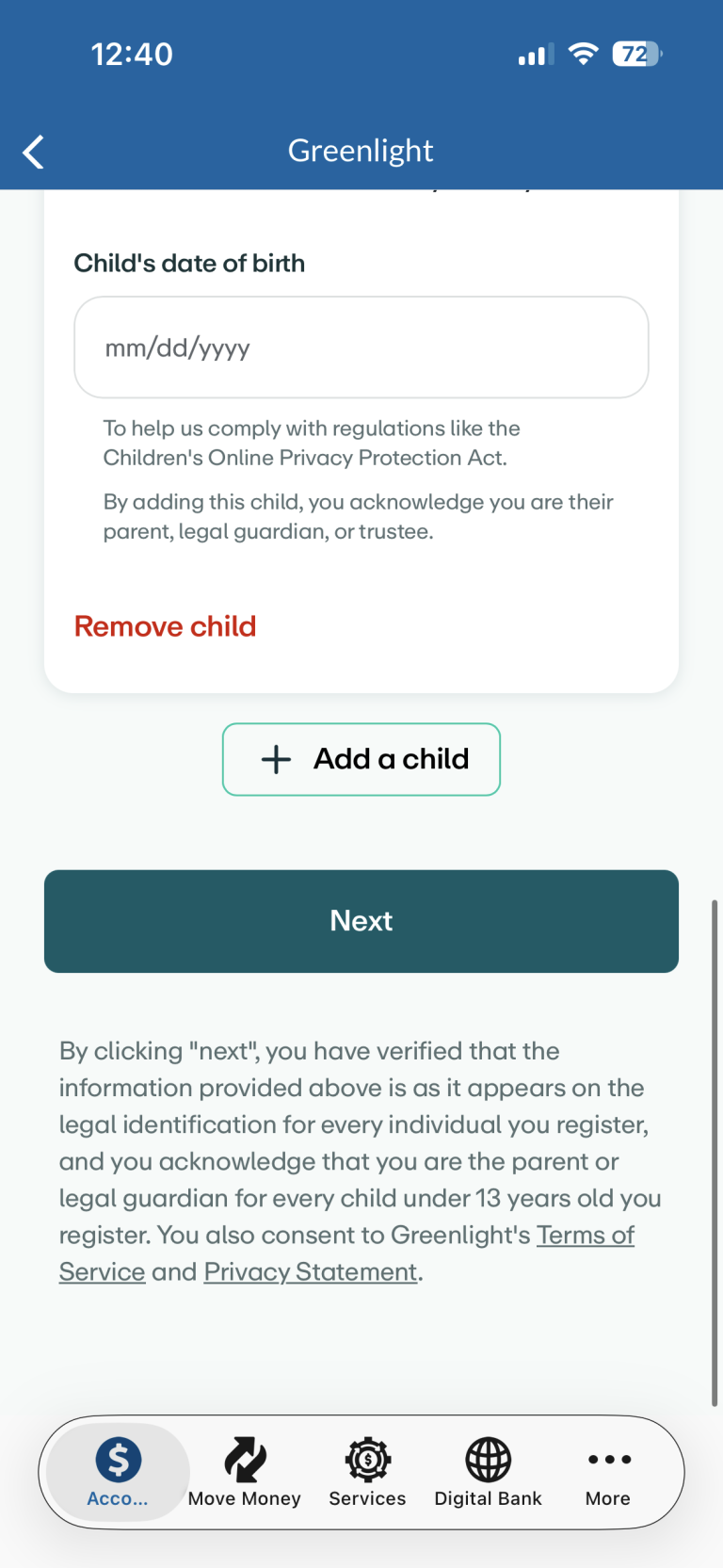
Step 5: Add Your Child
Enter your child’s information, including their legal first and last name, date of birth and phone number (optional).
You can add up to five children or teens to your Greenlight account. Additional children not added during initial registration in the CNB Mobile Banking app will need to be added within the Greenlight mobile app.
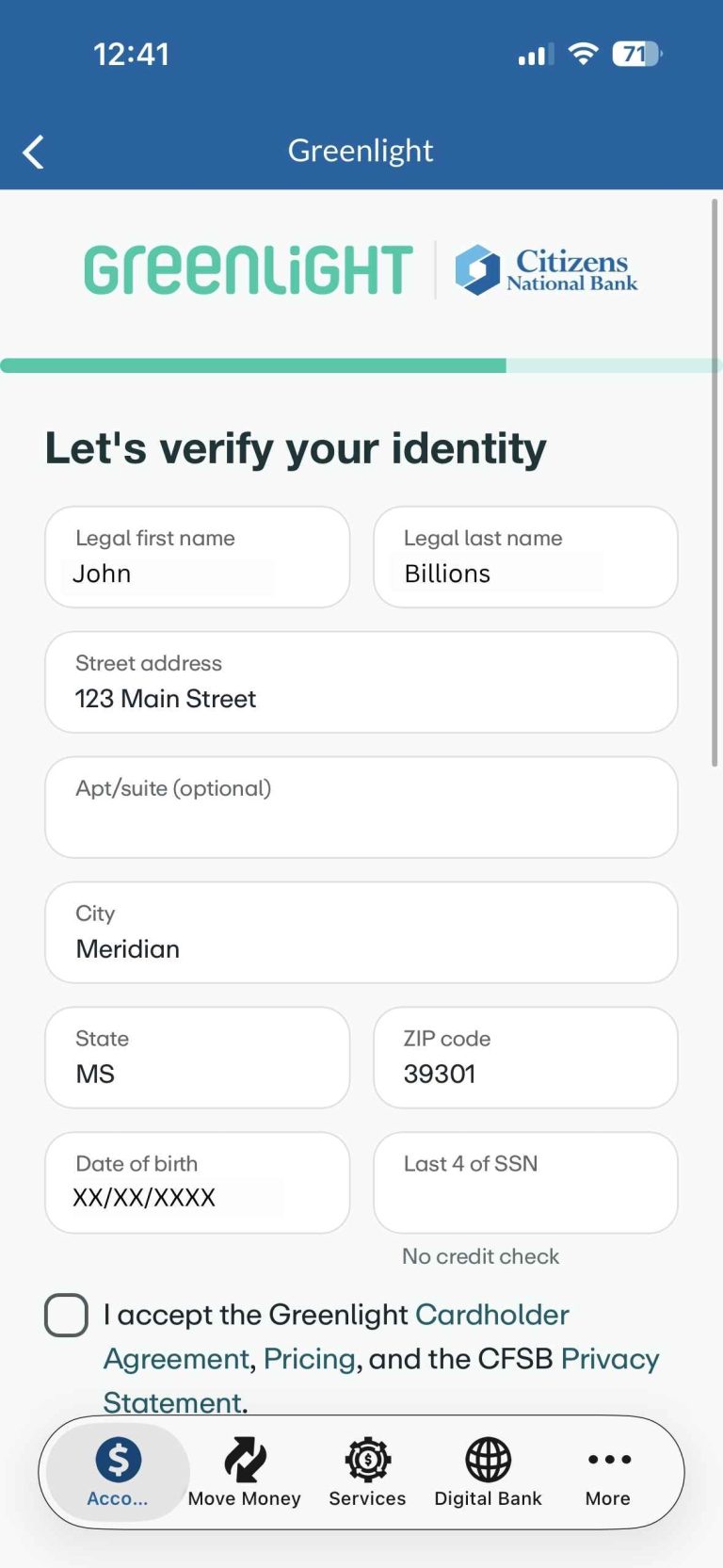
Step 6: Verify Your Identity
To protect your account and comply with federal regulations, you may be asked to:
- Confirm personal information
- Enter the last four digits of your Social Security number
- Accept Greenlight’s cardholder agreement
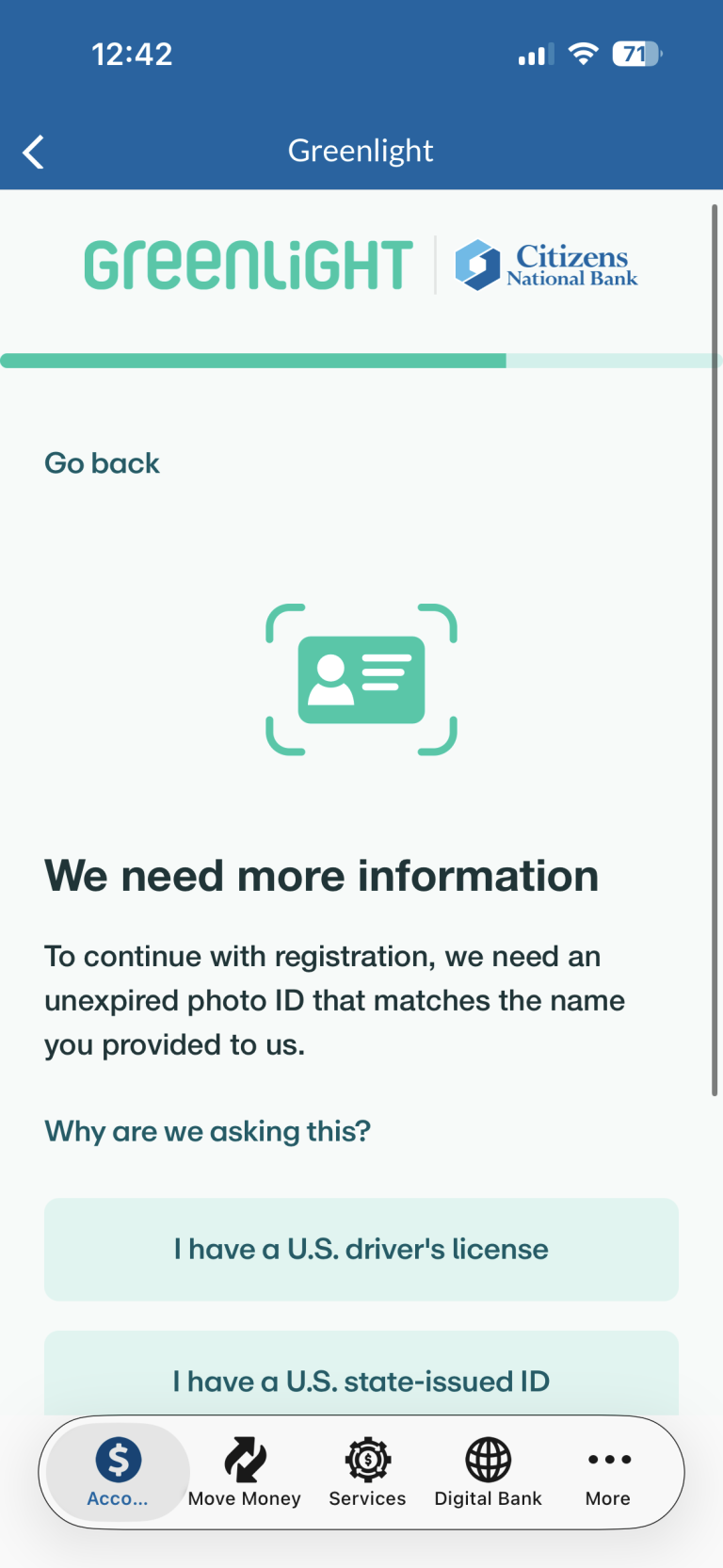
Some customers may also be asked to provide a valid photo ID. Accepted forms of identification include U.S. driver’s license, U.S. state-issued ID or U.S. passport.
Step 7: Complete Identity Verification
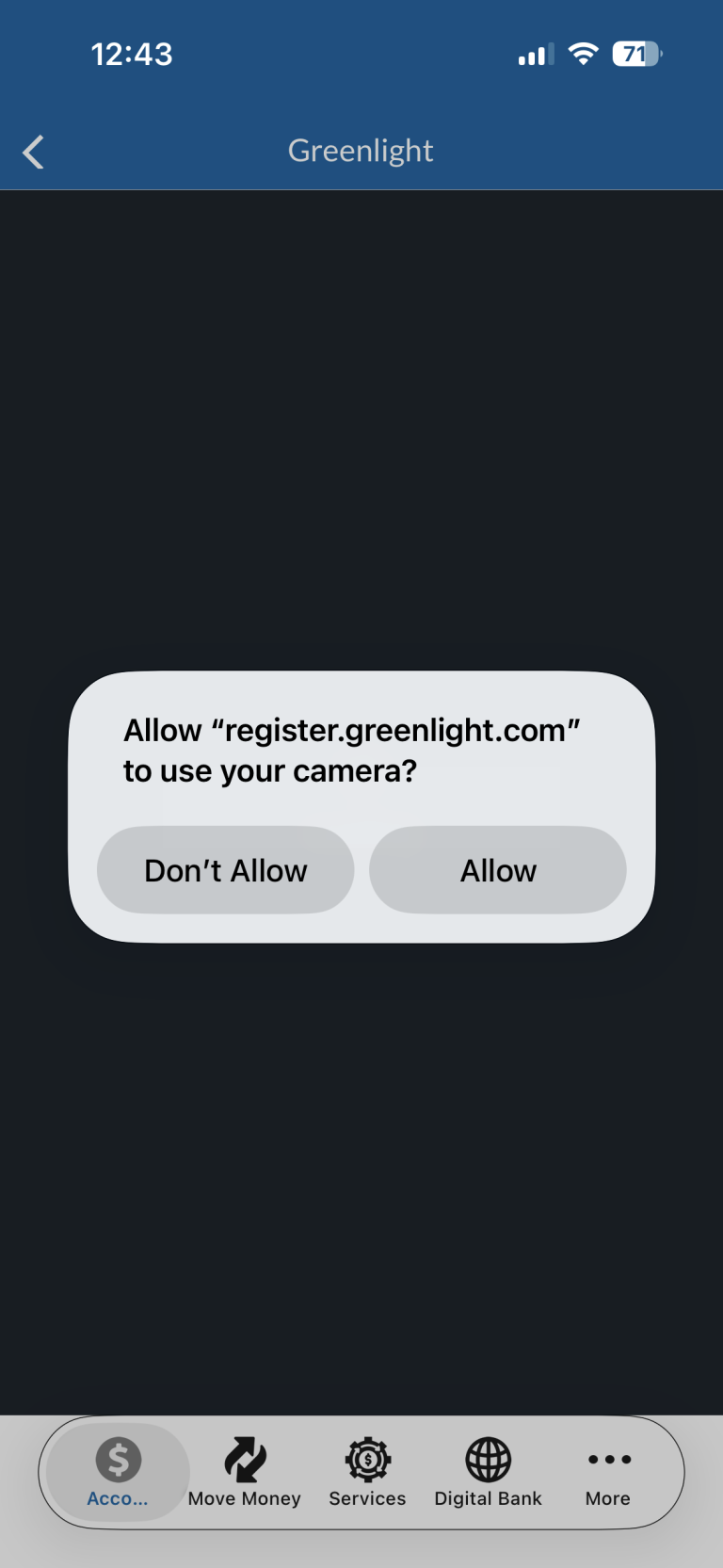
If prompted, allow camera access and follow the instructions to verify your identity using your photo ID.
Your information is used only for verification purposes.
Step 8: You're All Set!
Once your information is verified, your Greenlight account will be created and ready to use.
Next Steps:
- Download the Greenlight app from the App Store or Google Play.
- Sign in using the email address and password you created during registration.
- Begin managing your child’s debit card, savings goals, chores, allowances and more.
Need Help?
For assistance with registration, contact our Customer Care Center at 601.693.1331 or contact Greenlight support at 888.483.2645 or support@greenlight.com.
FAQs
Who is eligible for Greenlight through CNB?
Greenlight is available at no additional cost to eligible Citizens National Bank checking account customers.
Do I need a CNB checking account?
Yes, an eligible CNB checking account is required to enroll in Greenlight through the CNB Mobile Banking app.
Can I register online?
Yes, registration must be completed through the CNB Mobile Banking app.
How long does registration take?
Most customers can complete registration in just a few minutes.
What information do I need to enroll?
To get started, you’ll need:
- A CNB checking account
- A mobile phone that can receive text messages
- Your email address
- Your child’s legal name and date of birth
- Personal information needed for identity verification
Why do I need to verify my identity?
Greenlight may require identity verification to help protect your account and comply with federal regulations. Some customers may be asked to provide a valid driver’s license, state-issued ID or U.S. passport during registration.
How many children can I add?
You can add up to five children or teens to your Greenlight account.
What happens after I finish registration?
Once your account is approved, you’ll download the Greenlight app and sign in using the email address and password you created during enrollment.
Do my children need the Greenlight app?
Yes, parents manage the account through both the CNB Mobile Banking app and the Greenlight mobile app, and children can access their own age-appropriate experience through the Greenlight app.
What if I already have a Greenlight account?
If you’re already a Greenlight customer, you may be able to connect your account through CNB to receive the free benefit through your eligible checking account.
What should I do if registration asks for additional documentation?
Some customers may be asked to provide additional information or upload documents to verify their identity. Follow the on-screen prompts to complete the verification process.
Why am I being asked to upload my driver's license or other documents?
In some cases, Greenlight may need additional information to verify your identity. You may be asked to provide an unexpired driver’s license, state-issued ID, passport, Social Security documentation or proof of address to complete enrollment.
This addresses the exact situation shown in the enrollment flow and will likely prevent the most customer confusion and support calls.
The Greenlight® prepaid card is issued by Community Federal Savings Bank, member FDIC, pursuant to license by Mastercard International.
Citizens National Bank (CNB) customers are eligible for the Greenlight SELECT plan at no cost when they connect their CNB checking account as the Greenlight funding source through the duration of Greenlight use provided by Candescent. Should Candescent stop offering Greenlight, customer’s Greenlight account will remain open unless cancelled by the user, with pricing and terms to be agreed upon between customer and Greenlight and all monthly fees being owed by customer to Greenlight. Subject to minimum balance requirements and identity verification. Upgrades will result in additional fees. See terms at greenlight.com/promotionsgeneralterms for details. Offer subject to change and partner participation.
Greenlight is a financial technology company, not a bank. The Greenlight app facilitates banking services through Community Federal Savings Bank (CFSB), member FDIC.